Cybersquatting 2.0: How To Use Smart TLD Coverage To Protect Your Brand From AI‑Age Domain Abuse
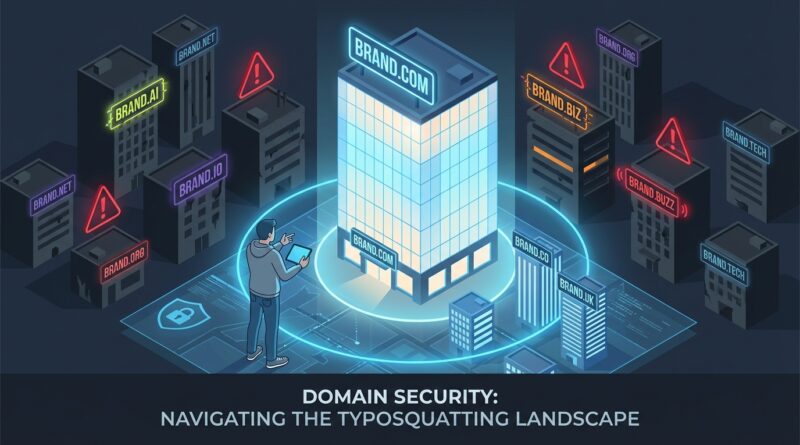
You buy the .com, maybe the .net if you are feeling cautious, and then one day a suspicious .ai, .io, or misspelled clone shows up in search results. It is frustrating, and for a lot of founders it feels unfair. You did the hard part of building a brand, then someone else spends twelve bucks to imitate it. The problem is getting worse. New domain endings give bad actors more places to hide, and cheap AI tools make it easy to throw up a fake landing page, phishing form, or “official” support site in an afternoon. The good news is you do not need to register every domain on earth. You need a smart, defensive domain name strategy against cybersquatting. That means knowing which extensions matter for your brand, which ones are mostly noise, and what to do fast if someone crosses the line. Think of it like locking the front door, not building a moat around the whole neighborhood.
⚡ In a Hurry? Key Takeaways
- Do not try to buy every extension. Protect the few TLDs most likely to fool your customers, investors, and partners.
- Start with your .com, your home-country extension, and the niche TLDs tied to your sector, such as .ai or .io for tech brands.
- Set up monitoring and a response plan now. A fast takedown or dispute filing is usually cheaper than a panic buying spree later.
Cybersquatting is not new. What changed is the speed.
Classic cybersquatting was annoying enough. Someone parked a lookalike domain, filled it with ads, and waited for you to pay them. Now the copycat site can look polished within hours. A scammer can generate brand text, support pages, fake login screens, and chatbot scripts with very little effort.
That is why domain protection now sits closer to security than marketing. If a fake site is collecting passwords, invoices, or customer messages, this is not just a branding headache. It is a trust problem.
What a smart defensive domain plan actually looks like
A sensible plan is not “buy everything.” That is too expensive and usually pointless. A better approach is to sort domains into three buckets: must-own, nice-to-own, and monitor-only.
1. Must-own domains
These are the ones most likely to be mistaken for your real business.
- Your exact brand in .com
- Your exact brand in your country-code TLD, such as .co.uk, .ca, .de, or .com.au
- Your exact brand in the TLD most associated with your industry, such as .ai, .io, .app, or .tech
- The no-hyphen and common hyphen version if both are realistic
- The most obvious typo if your brand is often misspelled
If you are a startup raising money, .ai and .io matter more than they did five years ago. Not because every customer knows what they mean, but because investors, journalists, job candidates, and early adopters often assume those extensions are legitimate for tech companies.
2. Nice-to-own domains
These are useful if your budget allows, but they are not always urgent.
- Plural and singular versions of your brand
- Shortened brand names you actively use
- Product-name domains for flagship services
- Key regional domains where you plan to expand soon
The rule here is simple. If you would be annoyed to see someone else own it, but it would not immediately confuse most users, it belongs in the nice-to-own bucket.
3. Monitor-only domains
This is where founders save money. Many TLDs are so niche, so obscure, or so unrelated to your business that defensive registration does not make sense. Watching them is enough.
If nobody would reasonably expect your fitness app to operate from a highly specialized extension, you probably do not need to buy it. You just need alerts if someone does.
How to choose which TLDs deserve your money
Here is the practical filter I like to use. Ask these five questions.
Will customers trust it on sight?
.com still carries the most default trust. Country-code domains often do too, especially for local businesses. For software and startup brands, .ai and .io now have that same “looks normal” effect in many circles.
Does your audience actually type or click that TLD?
If your users are developers, founders, or SaaS buyers, a fake .io or .ai can do real damage. If your audience is mostly local consumers, your national extension may matter more than a trendy tech TLD.
Could it be used in phishing?
Domains like brand-support.ai, getbrand-login.com, or brand-payments.io are often more dangerous than random lookalikes because they feel task-specific. Think like a scammer for a minute. Which domain would best fool a stressed employee or rushed customer?
Would a bad registration hurt revenue, trust, or fundraising?
If the answer is yes, protect it. That makes this a business decision, not a vanity purchase.
Can you defend it later if needed?
Some extensions are easier to handle through registrar abuse teams or formal disputes than others. If a TLD has a weak abuse process and is frequently used for scams, there is a stronger case for buying early.
The minimum viable coverage for most startups
If you want a budget-aware starting point, this is usually enough for an early-stage company:
- Your brand.com
- Your brand in your main country-code TLD
- Your brand.ai if you are in AI or adjacent software
- Your brand.io if your audience is startup or developer heavy
- One or two obvious misspellings
- One defensive domain for your main product name, if it is marketed separately
That is not complete protection. It is practical protection. Big difference.
What not to do
Do not panic buy dozens of random extensions
This is how registrars make money and founders burn budget. Most obscure TLDs will never matter to your business.
Do not rely on the homepage alone
Many scams happen on subpages, email, or fake support portals. Even if the fake homepage looks weak, the abuse may happen elsewhere on the domain.
Do not assume a parked page is harmless
Today it is parked. Tomorrow it is a phishing site. If a domain is close enough to your brand to worry you, put it on a watch list.
Do not separate domains from security
Your legal team, IT team, marketing lead, and founder should all know who owns domain decisions. Otherwise, renewals get missed and response times drag.
How to react when a bad-faith domain appears
Speed matters, but so does not overreacting. Use this order.
Step 1: Document everything
Take screenshots. Save the URL. Record the registrar, host, nameservers, and WHOIS details if available. Note whether it is parked, redirecting, collecting data, or impersonating staff.
Step 2: Assess the risk
Ask three questions:
- Is it just sitting there?
- Is it confusing users?
- Is it actively harmful, such as phishing, malware, counterfeit sales, or fake support?
An inactive lookalike may call for monitoring or a legal warning. A phishing site needs immediate escalation.
Step 3: Contact the registrar and hosting provider
If the site is clearly abusive, many registrars and hosts will act faster than people expect, especially for phishing or impersonation. Send concise evidence. Keep the email factual.
Step 4: Use formal dispute options if needed
For domains registered in bad faith that target your trademark, processes like UDRP can be effective. They are not instant, and they do cost money, but they are often cheaper than paying an extortionate seller.
Step 5: Warn customers if there is active impersonation
If a fake domain is contacting users, post a short notice on your real site and social channels. Keep it calm. “We are aware of a fraudulent domain impersonating our brand. We only use X and Y.” Clear beats dramatic.
Monitoring is cheaper than cleanup
You do not need a huge enterprise stack to keep an eye on your brand. At minimum, use domain watch services, Google alerts for your brand plus suspicious TLDs, and inbox monitoring for reported phishing attempts. If your company has grown past a few dozen employees, add regular brand-abuse reviews to your security checklist.
Also watch for:
- Homoglyph domains, where letters are swapped for similar-looking characters
- Added words like support, billing, verify, login, help, or pay
- Localized clones targeting specific countries
- Domains registered right after a funding round, product launch, or press hit
Trademark helps, but it is not magic
A registered trademark improves your position. It gives you stronger footing in disputes and takedown requests. But it does not stop someone from registering a domain in the first place. Think of trademark rights as a fire extinguisher, not a sprinkler system.
If the brand matters, pair trademark planning with domain planning. They work better together.
A simple budget framework founders can use
If money is tight, split your domain budget like this:
- 60% on must-own domains and renewals
- 20% on monitoring tools or brand protection services
- 20% reserved for enforcement, takedowns, or one-off defensive buys after major launches
This keeps you from spending everything upfront and having nothing left when an actual problem shows up.
When investors should care
Investors sometimes treat domains like minor admin. That is a mistake. A visible brand-abuse problem can hit customer trust, delay partnerships, and create ugly diligence questions later. If you are backing a company with growing public visibility, ask one simple question: who owns the core domains, and what is the response plan for impersonation?
If nobody has an answer, that is the answer.
At a Glance: Comparison
| Feature/Aspect | Details | Verdict |
|---|---|---|
| Broad defensive registration | Buying many TLDs at once can reduce some risk, but costs climb fast and most names will never be used or targeted. | Useful only for high-profile brands with bigger budgets. |
| Targeted TLD coverage | Focuses spending on .com, country domains, and industry-relevant extensions like .ai or .io, plus obvious typos. | Best balance for most startups and growth companies. |
| Monitoring and takedown response | Uses alerts, registrar complaints, host reports, and dispute processes when bad-faith domains appear. | Essential, even if you already own key domains. |
Conclusion
You cannot stop every copycat registration, and you do not need to. What you can do is build a defensive domain name strategy against cybersquatting that matches your real risk. Right now complaints are rising across old and new TLDs, and AI makes fake sites faster and cheaper to build. That is exactly why calm, focused planning beats panic buying. Secure the domains people are most likely to trust, monitor the rest, and have a clear response plan for abuse. Founders and investors who treat domains as part of brand security, instead of a last-minute line item, will waste less money and avoid a lot of ugly surprises later.